Project Overview
This project was a unlike other projects, we had to continuously work with the google team to automate their support process. Joined the team as design lead managing 6-8 resources, responsible for all the design related process.
Objectives
Create a step-by-step guide(support workflow) that uses business logic and system integrations (API/signals) to automate support solutions benefiting google products support teams, agents and end users.
1. Create workflows that will be used by millions if not billions of users
2. Reduce the burden on the support team/agent
3. Provide quicker and faster resolution for the users
4. Increased cost savings for the support team
Responsibilities
Understanding the Problem
1. Lead the USA, India and Philippines design team comprising of 9 designers spread across different regions and time zones
2. Overseeing all the deliverables of the team, ensuring all the design deliverables are met meaning 100% quality score, meeting the timelines adhering to the design guidelines/criteria
3. Ensuring smooth client management, transparency of the process, presenting the design logic and getting the approval, planning future projects (sprint planning)
4. Providing guidance to the designers, reviewing the work and providing feedback. Mentoring both on and off the project

Design Process
The design process we follow for this project is specifically crafted to address the issues and challenges faced over the time. It can be broadly be classified into 3 phases pre-design, design, post-design. Each of the phases has specified steps that is carefully completed before proceeding to the next. This is done to identify, highlight, address and solve bugs/errors as early as possible before the launch. If an issue has been identified in the previous step then they are marked as error and a project with <84% score is considered as a failure and a retrospective meeting is conducted to identify and ensure that it is not repeated in the future projects.
Once we receive the requirement document from the clients our teams takes a detailed look at it, ensuring all the necessary information is available to us in the document. It can range from checking the readiness of the API.signals used in the workflow, ensuring all the logical flows are covered to the availability of the widgets (transaction selector, business address box, ticket component, etc ) to be used in the flow.

While understanding the requirement document we also connect with the developers to check the feasibility of the workflow/widgets/API/Signals. If the developer raises an issue with record it in the questions document.
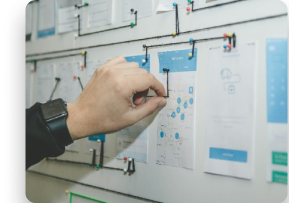
If we have any queries in the previous steps be it workflow logic or widgets or API/signals or developer raised concern we note it down in the questions document and share it with the clients to address it before proceeding with the design

Once we have gone through the requirement document, checked the feasibility and prepared the questions document, we have a call with the clients who gives us a brief overview of the workflow and then we can clarify our doubts with them, if they are not able to answer them immediately it will be addressed offline while we work on the next phase unless it is blocking our progress completely.

The first step of the design phase is the drafting of the workflow. Once we have the required information in the pre-design phase after the kickoff call we start with fleshing out the workflow bit by bit, After we address all the workflow usecases we should have the final workflow with us.
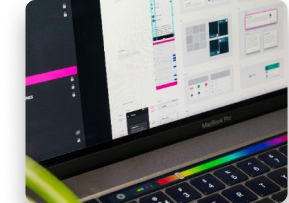
Once we have designed the full workflow and done with our initial self validation to see if we have designed the workflow as per the design criteria and address all the usecases listed in the requirement document for the workflow we share the deisgn with our peer to have an extra pair of eyes check the entire workflow for the same . This helps us double check each and everyworkflow also giving it an external perspective to the design. If there are any comments identifying any error or design simplification it is added as comments and it is tracked. Once the comments are addressed by the designer and the peer reviewer give a LGTM(Looks good to me) it is sent for design approval.

This step is very similar to the previous one, but a very severe step as this step will be used to score the workflow quality. Hence in the step we try not to get any kind of error or feedback related to correction, but feedback related to change or new request can be accepted as they are not error. The product manager from the client side reviews the workflow and scores the quality of workflow. Similar to the previous step the product manager adds comments for the designer to work on it.

Once everything is addressed, we setup a call with the product manager and walk them through the entire design, explaining the initial requirement, the additional changes requested, feedbacks incorporated, etc. Post which the product manager gives us a sign of then we start the post design steps.

Once the design approval is given by the clients, we create a document for the content which is shared to the team who checks the content and ensures that it is as per the content guidelines. If required they change to content as well.
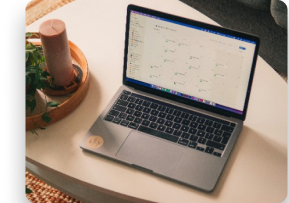
Before sharing the design to the developers the document is created to check all the scenarios requested in the requirement document is covered in the design/development. Which will be utilized by the developer/TA/client to review the workflow before launch. if there are any discrepancies or adhoc changes it is addressed in this phase and updated in both the design and development.

This step is very similar to the previous one, but a very severe step as this step will be used to score the workflow quality. Hence in the step we try not to get any kind of error or feedback related to correction, but feedback related to change or new request can be accepted as they are not error. The product manager from the client side reviews the workflow and scores the quality of workflow. Similar to the previous step the product manager adds comments for the designer to work on it.

Outcome
Based on the workflow the impact varies
1. Reduce the burden on the support team/agents by automating the cases
2. Cost reduction/savings for the products support team
3. Help the users solve their problem easier and quicker
Eg: A workflow can have, 1-10+ million users using it on a monthly basis and registering 20,000-30,000 cases month on month and save anywhere between 500,000$ to several million in a year.

